
PRAYER ON YOUR WRIST
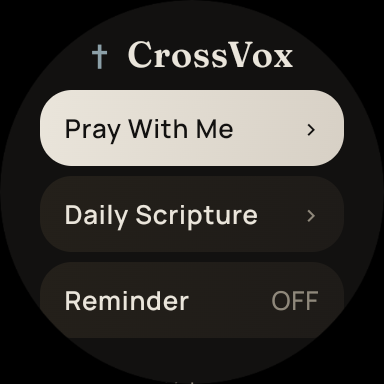
Pray with CrossVox on Wear OS.
CrossVox voice prayer works on compatible Wear OS watches paired with an Android phone. Install the phone app from Google Play, sign in and pair the watch. Phone and watch share the same CrossVox listing; you do not need a separate watch URL.
Product facts verified October 13, 2026 · See device availability
01 / THE DETAILS
Get started on phone and watch
- Install CrossVox from Google Play ↗ on your Android phone and sign in.
- Pair your compatible Wear OS watch with the phone and install or open CrossVox on the watch from the same store listing.
- Open CrossVox on the watch and complete pairing with the signed-in phone.
- Choose Pray With Me to speak and hear a prayer response.
02 / THE DETAILS
Before you begin
Voice prayer needs an account, internet connection and microphone permission. Each account includes seven complimentary complete prayer sessions. Continued voice prayer is available through optional membership; see the in-app store for your region’s price.
03 / THE DETAILS
What is still being planned
Meta smart glasses integration is in planning and has no public release. CrossVox V1 hardware is in development. Reserve Black with a $10 deposit toward the $79 hardware total, with $69 due before dispatch. Estimated US warehouse dispatch is January 2027. Check the product page for current preorder availability.